How to set up IPTV UK on Amazon Firestick

The Amazon Firestick is the most popular way to watch IPTV UK on an ordinary TV. Install the free Downloader app, let it add a player to your stick, and log in with your CosyTelly details. Allow about ten minutes the first time.

  • About 10 minutes
  • Beginner friendly
  • Help on WhatsApp

Before you start

You need a Firestick or Fire TV Cube connected to the internet and the login we send you on WhatsApp. Any recent Fire TV model works, including the 4K and 4K Max.

Step by step

Step 1 to 5: install Downloader and prepare your Firestick

1

Install Downloader

On the Fire TV home screen, open Find, then Search. Type Downloader and install the free orange app.
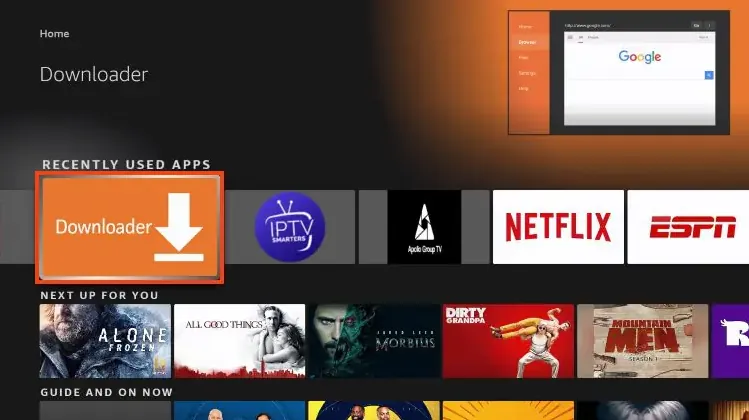
Downloader app highlighted on the Amazon Fire TV home screen
2

Open Developer Options

Go to Settings, then My Fire TV, then Developer Options. Cannot see it? Open About, click your device name seven times, then go back.

3

Allow unknown apps

In Developer Options, open Install unknown apps and switch Downloader on, so it can install players that are not in the Amazon Appstore. Watch where the setting is (YouTube video).

4

Enter the app's code

Open Downloader, click the box and type the Downloader code of the app you want. Press Go, then Install. Choose your app first: open the apps below to compare screenshots, then type that app's code into Downloader.
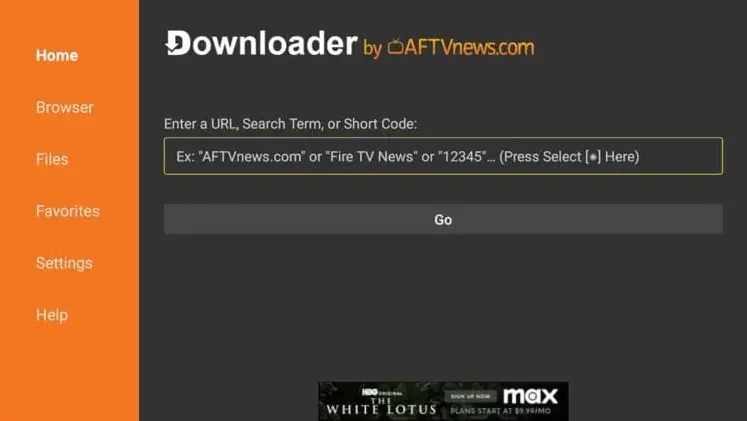
Downloader home screen with the box for entering a URL or short code
5

Activate a paid app (only if you chose one)

IBO Player Pro, Bob Player and Hot Player have a free trial. When it ends, you activate the app on its official website with the MAC address shown in the app.

Apps

Best IPTV apps for Firestick

Newest Fire TV models (Vega OS). A few of the latest Fire TV Stick models block sideloading, so Downloader may not be able to install apps. If that happens on your stick, message us and we will suggest another way to watch.

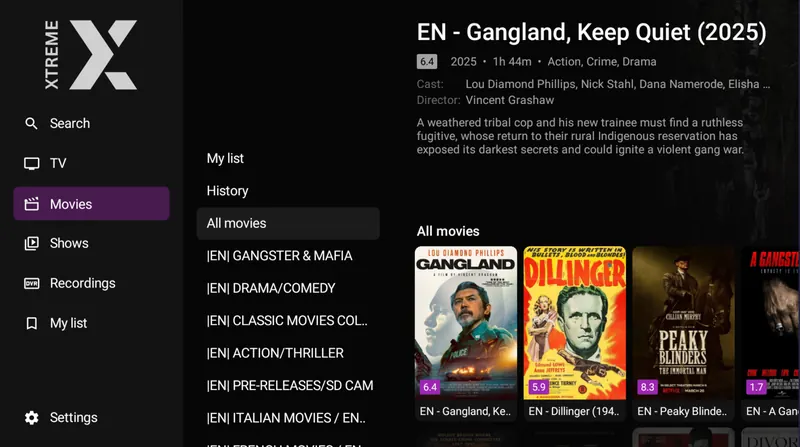
XtremeHD Player

Free app · Downloader code 5976294
XtremeHD Player film library with categories down the side and film posters
Ask us which server to pick. Our servers are built into XtremeHD Player, and the right one depends on your area and broadband provider. Message us and we will tell you which to choose. Ask on WhatsApp

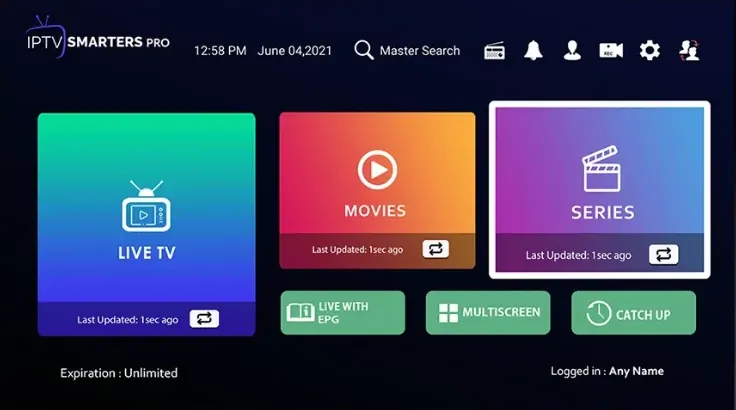
IPTV Smarters Pro

Free app · Downloader code 6468112

IBO Player Pro

Paid app with a free trial · Downloader code 481220
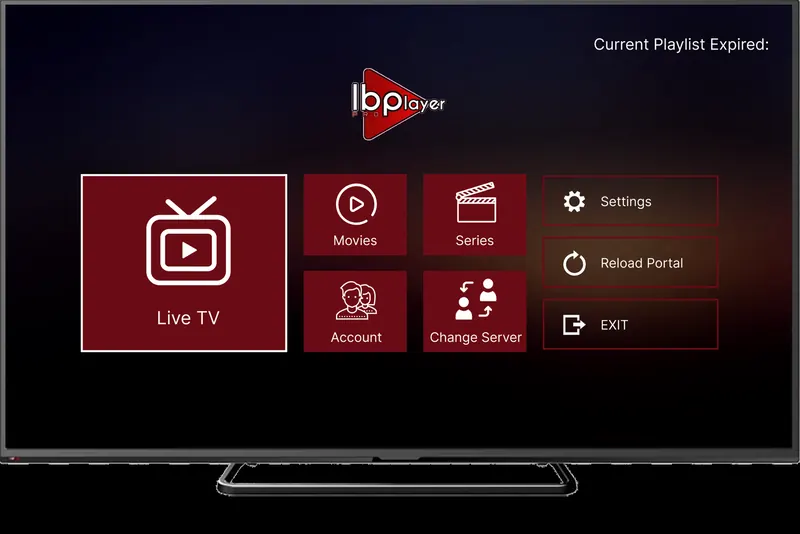
IBO Player Pro home screen on a TV with Live TV, Movies, Series and Account tiles

App fee: about €8 (roughly £7) for life, with a 7-day free trial, paid to the app maker and separate from your CosyTelly subscription.

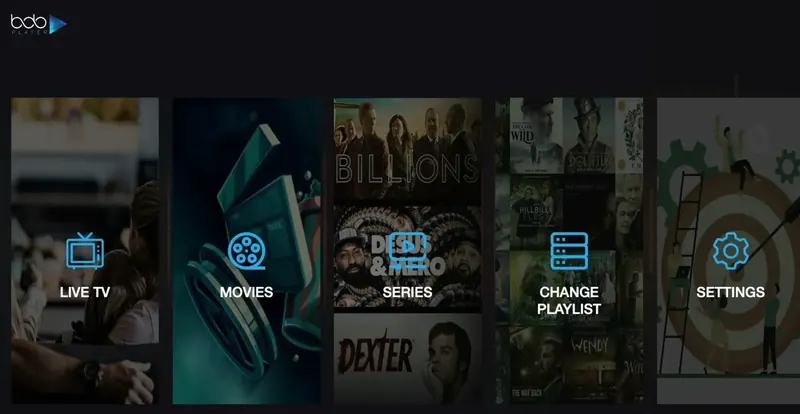
Bob Player

Paid app with a free trial · Downloader code 815778
Bob Player home screen with Live TV, Movies, Series, Change Playlist and Settings

App fee: about €8 a year or €13 for life, with a free trial, paid to the app maker and separate from your CosyTelly subscription.

Downloader code 815778 How to log in to Bob Player ↓

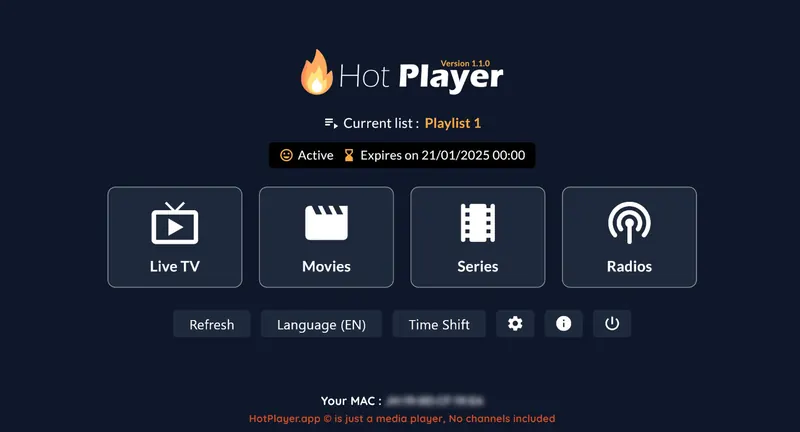
Hot Player

Paid app with a free trial · Downloader code 395800
Hot Player home screen showing the active playlist with Live TV, Movies, Series and Radios

App fee: €5.99 a year or €14.99 for life, with a 30-day free trial, paid to the app maker and separate from your CosyTelly subscription.

Log in

How to log in on your Firestick

Your login is in the WhatsApp message we send when your order or trial is confirmed. Find your app below and follow its steps.

→

XtremeHD Player

  1. Open XtremeHD Player and choose Add Playlist.
  2. Pick Xtream Codes.
  3. There is no server URL to type: choose the server we recommend from the list in the app.
  4. Enter the username and password we sent you, then press Save.
→

IPTV Smarters Pro (Xtream Codes login)

  1. Open the app and choose Add Playlist. Some apps call it Add User or Login with Xtream Codes.
  2. Pick Xtream Codes, not M3U.
  3. Enter the username and password from your CosyTelly message.
  4. If the app asks for a server URL, copy it from the same message exactly as written.
  5. Press Save or Add User, and your channels load.
→

IBO Player Pro, Bob Player and Hot Player (MAC address and M3U link)

  1. Open the app on your device. It shows your MAC address, and IBO also shows a Device Key.
  2. On your phone or computer, open the app's playlist page: IBO Player Pro · Bob Player · Hot Player.
  3. Enter the MAC address, plus the Device Key for IBO, exactly as shown on screen.
  4. Choose Add playlist, then M3U, and paste the M3U link from your CosyTelly message.
  5. Give the playlist any name and press Save.
  6. Restart the app on your device, and your channels appear.
Hot Player has two separate pages, so do not mix them up: Upload is where you paste your M3U link (free during the trial), and Activation is where you pay for the app once you have tried it and want to keep it.

Lost your username, password or M3U link? Message us and we will resend it.

Troubleshooting

Troubleshooting IPTV on Firestick

Downloader says the app cannot be installed

Check Settings → My Fire TV → Developer Options → Install unknown apps and make sure Downloader is on. Fire TV updates sometimes switch it off again.

The code opens the wrong download

Check the code digit by digit, because one wrong number opens a different file.

My login is rejected

The server URL must start with http://, not https://, with no spaces. Usernames and passwords are case-sensitive.

Channels buffer or freeze

Restart the stick by holding Select and Play for five seconds, close unused apps, and use 5 GHz Wi-Fi or an Ethernet adapter. Still buffering? Message us and we will move you to another server.

Still stuck? Message us on WhatsApp with your device, the app you are using and a photo of any error, and we will sort it out with you.

Questions

Firestick IPTV FAQ

Which is the best IPTV app for Firestick?

For most people XtremeHD Player or IPTV Smarters Pro, which are both free. IBO Player Pro, Bob Player and Hot Player offer a more polished interface, with free trials.

Why won't Downloader install apps on my Firestick?

Check that Install unknown apps is switched on for Downloader. Some of the newest Fire TV models block sideloading completely; message us and we will suggest an alternative.

Do I need a VPN app on my Firestick?

No. CosyTelly includes a built-in VPN, so there is nothing extra to install on the stick and nothing to switch on.

Other devices

More IPTV UK setup guides

Stuck on a step? We will set it up with you.

Message us on WhatsApp and we will walk you through it on your Firestick, one button at a time.

Chat on WhatsApp